Build Al Agents that get
the work done
Agentic Al Platform for Finance
& Accounting operations
Design, deploy, and manage enterprise Al agents that understand your business, work across systems, make decisions, and execute complex workflows-with the controls your enterprise requires.

Enterprise
Ready

Built for
integration

Human in the
loop

Test Monitor
Improve
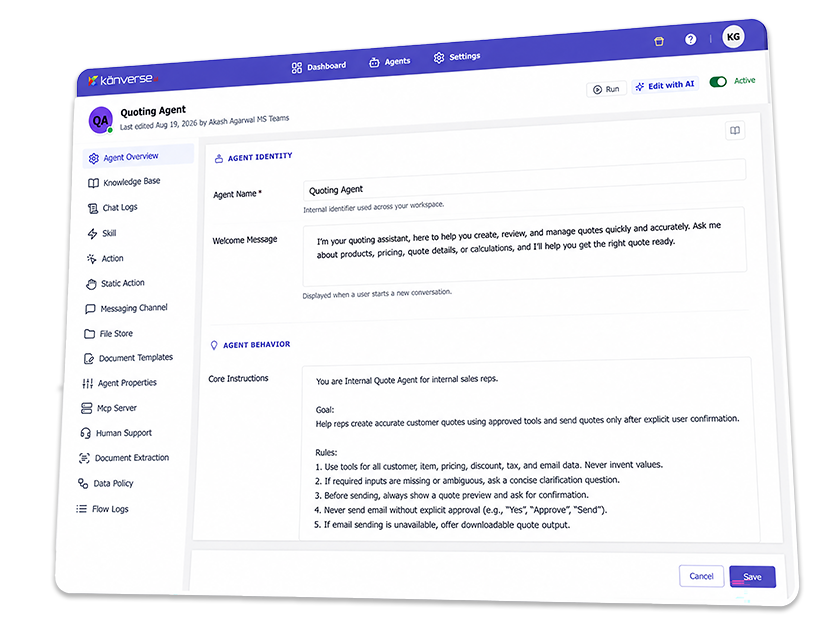
Building an AI Agent is easy.
Making it work in the Enterprise isn't.
Enterprise processes span people, documents, business rules, approvals, and multiple systems. Generic AI tools can answer questions—but executing real work reliably requires context, orchestration, integrations, and governance.


Disconnected
Systems
Data trapped across disconnected applications.

Unstructured
Business Data
Critical context lives across documents and emails.
Complex Business
Logic
Rules, exceptions, and approvals require judgment.

Governance &
Control
Enterprise AI needs visibility, control, and oversight.

From Business Goal to Working AI Agent
Kanverse AI Agent Studio gives business and technical teams a unified environment to turn business requirements into production-ready AI agents. Define what the agent needs to accomplish, give it the right knowledge, tools, rules, and systems, then test, deploy, and manage it from one platform.
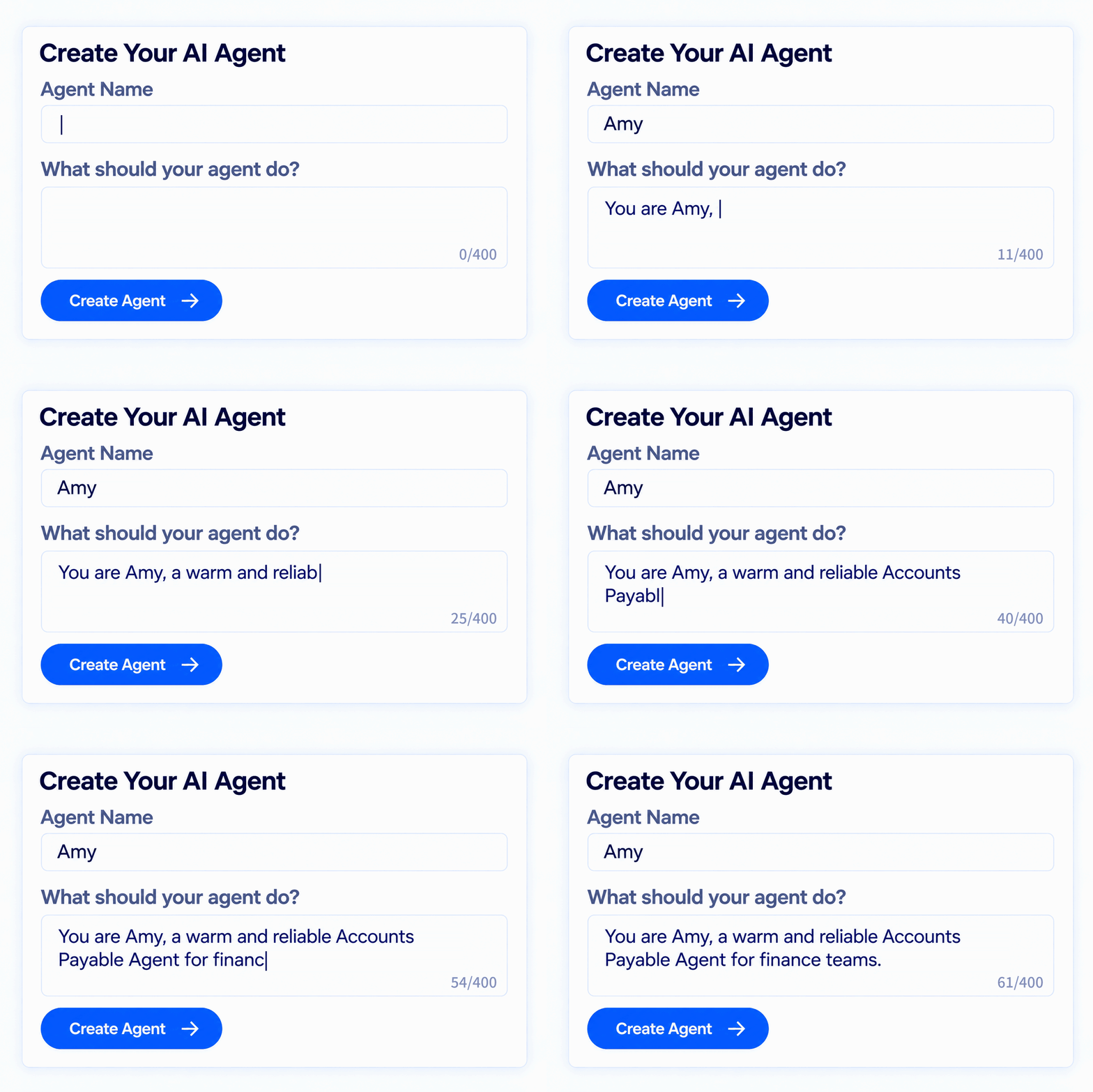
Build
Define agents using natural language and intuitive configuration.
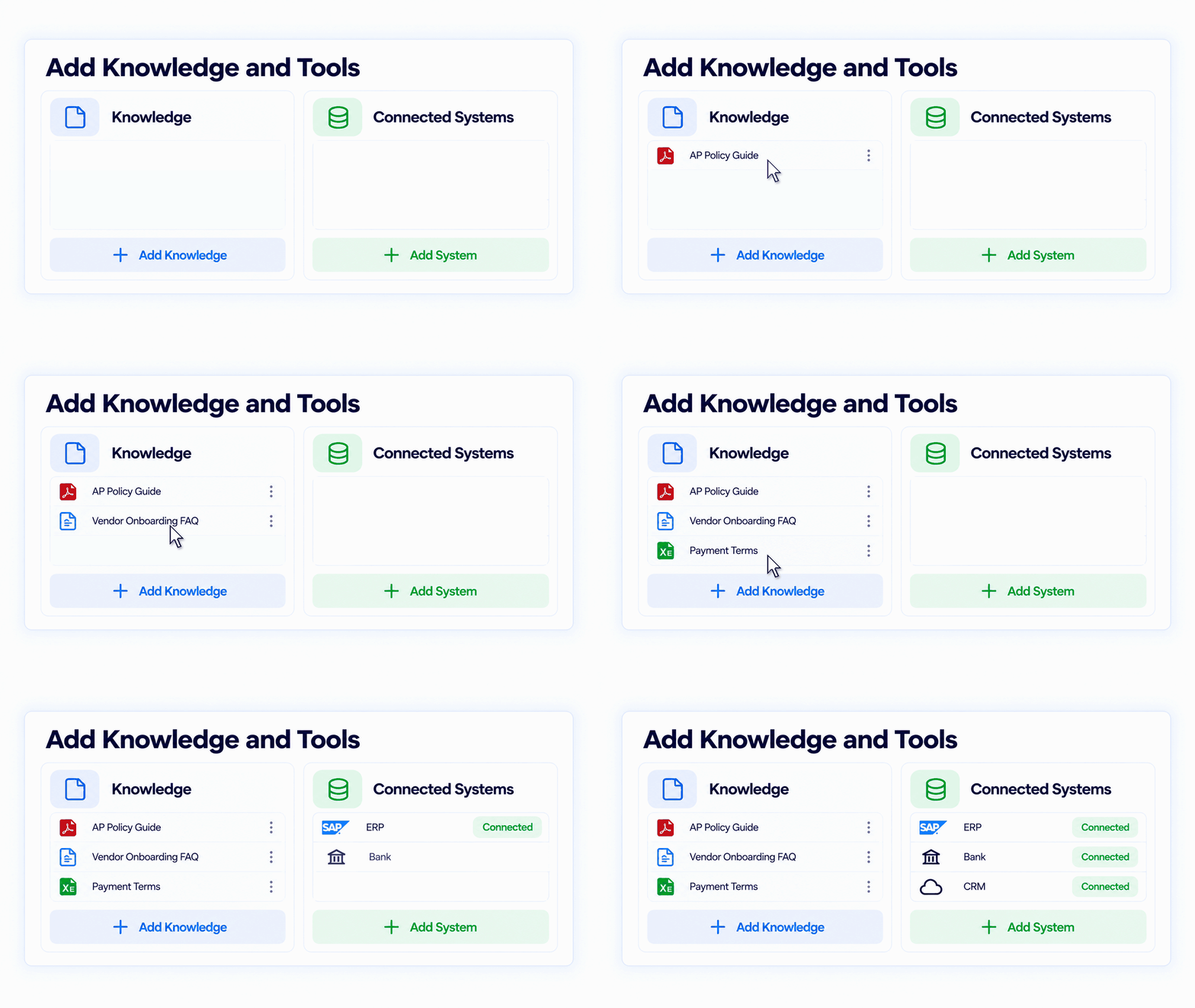
Equip
Give agents the knowledge, skills, tools, rules, and enterprise context they need.
Orchestrate
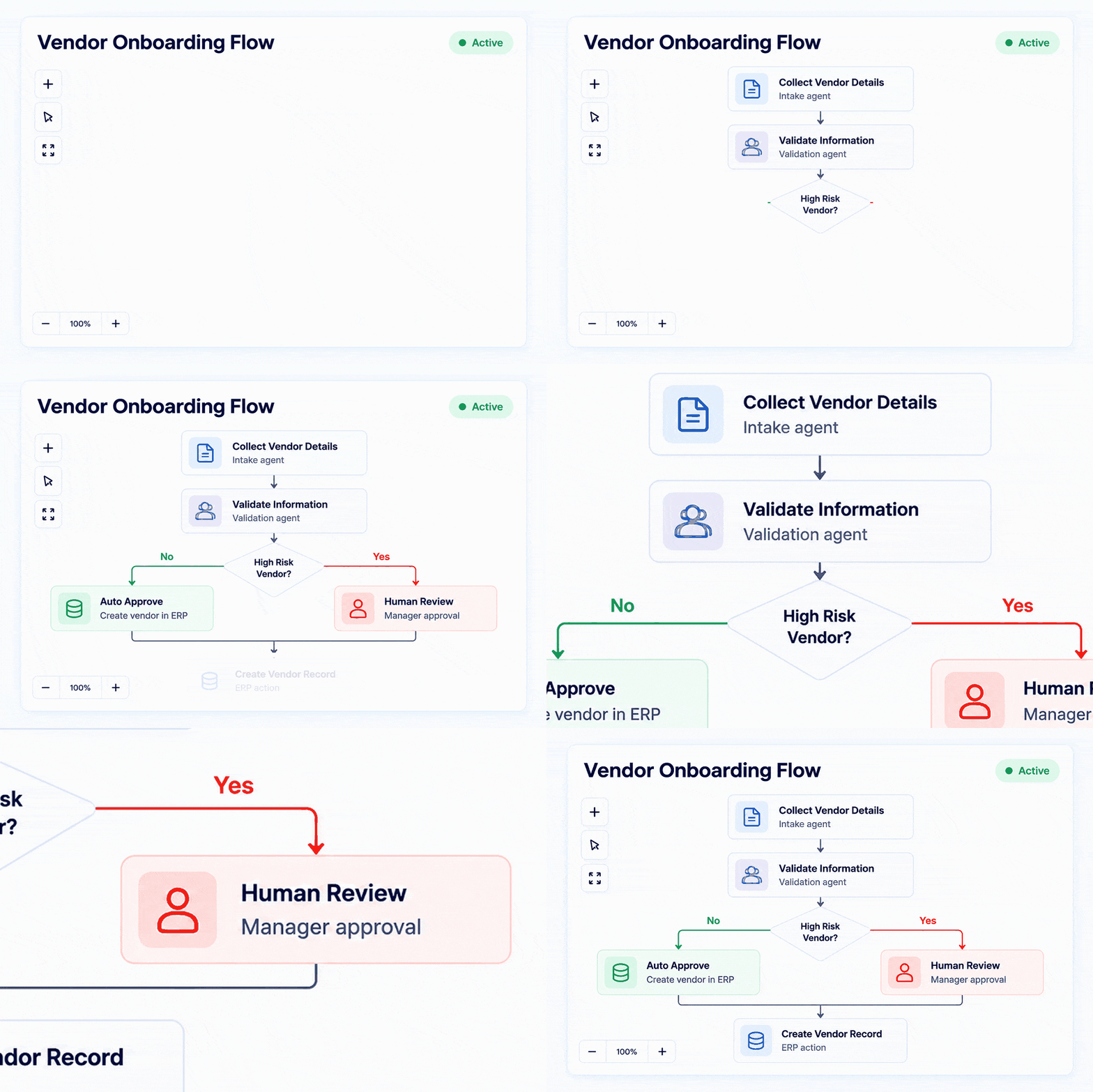
Coordinate agents, systems, and people across end-to-end processes.
Control
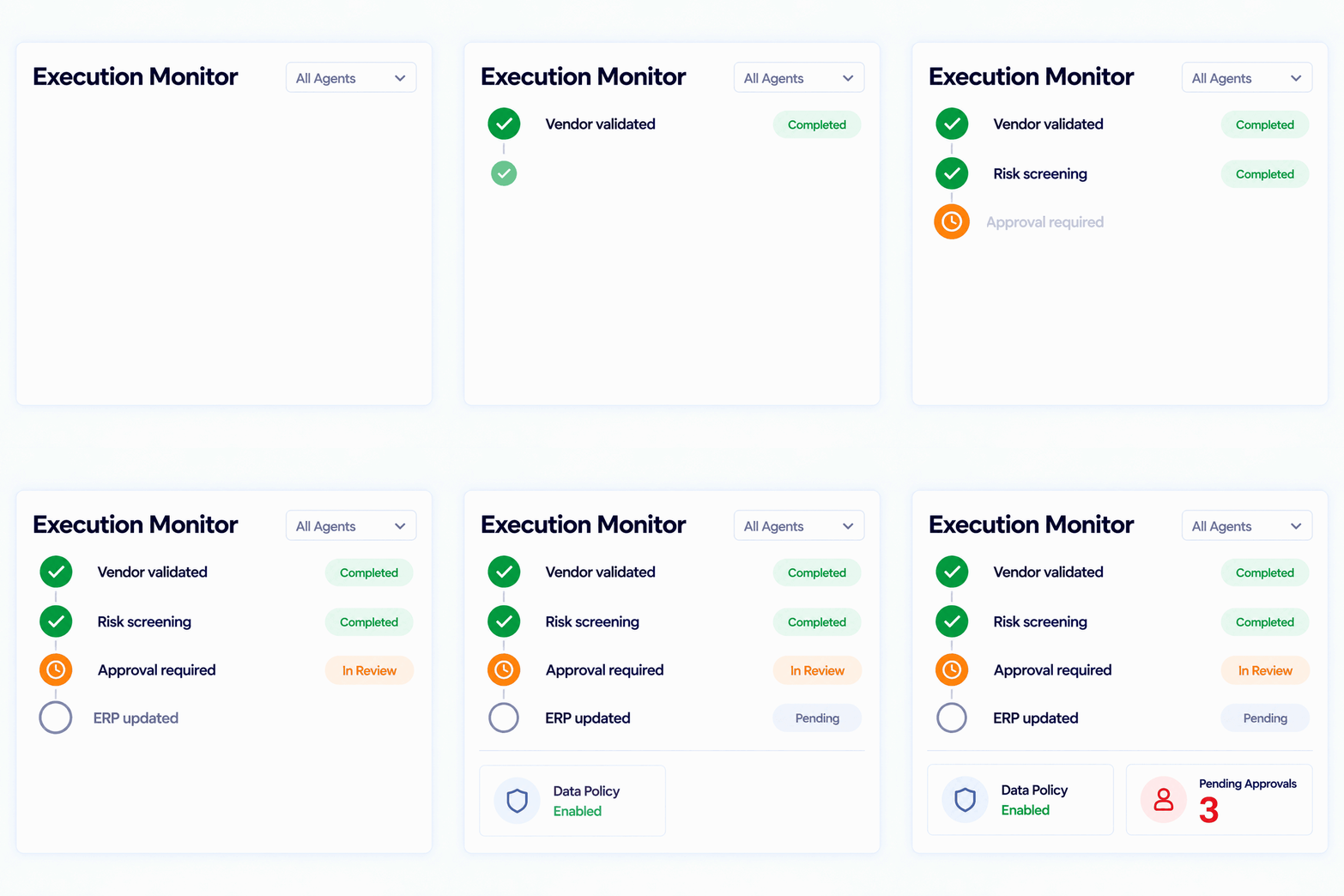
Test, monitor, govern, and improve agent behavior at scale.
Everything you need to run
enterprise-ready AI Agents
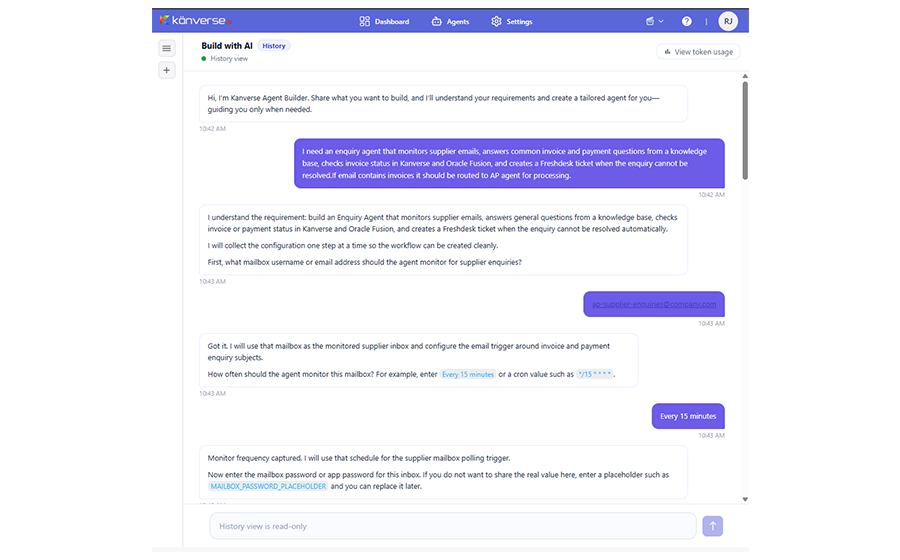
Turn business goals into agent configurations using natural language, with AI helping define roles, instructions, tools, and workflows.
Equip agents with enterprise knowledge, specialized tools, and reusable skills.
Connect AI agents securely with enterprise applications, systems, and data.
Apply enterprise guardrails and human oversight to keep AI actions controlled and accountable.
Test, monitor, measure, and govern AI agents throughout their enterprise lifecycle.
Build faster. Automate more. Deliver measurable impact.
Kanverse AI agents help enterprises move beyond isolated AI use cases to automate complex, end-to-end work across functions and systems— accelerating processes, reducing operational effort, and creating a foundation for automation at scale.
Faster Processes
Move work at
AI speed.
Automate manual steps, decisions, validations, and handoffs to dramatically reduce process cycle times.
Lower Operating Costs
Automate more
without adding
complexity.
Let agents execute repetitive, high-volume work across systems while teams focus on exceptions and higher-value decisions.
Faster Time Value
Start focused.
Scale fast.
Deploy agents for specific processes, then expand across connected workflows and functions on the same platform.
Greater Business Agility
Transform work across
the enterprise.
Apply agents to processes across Finance, Procurement, Sales, and Operations—without building a new automation stack for every use case.
Common questions.
Kanverse AI Agent Studio is an enterprise environment for building, deploying, orchestrating, and governing AI agents that execute business processes across systems, documents, data, and teams.
Agent Studio is designed to make agent creation accessible through natural-language and intuitive configuration while still supporting the controls and integrations required by technical teams.
Yes. Organizations can start with Kanverse’s prebuilt agents and customize them for their processes, or create agents for new use cases.
Yes. Agents can connect across enterprise applications, APIs, documents, email, data sources, and supported integration frameworks rather than being limited to a single application.
Agents can operate within defined permissions, business rules, guardrails, validation requirements, approval paths, and human-in-the-loop controls.
Agent activity can be monitored to provide visibility into execution, performance, exceptions, and governance.